- Open the Link: – Go to: https://apponeserver.talent-oases.com/VIP/sites/littledenmark/talentteam/tracker/
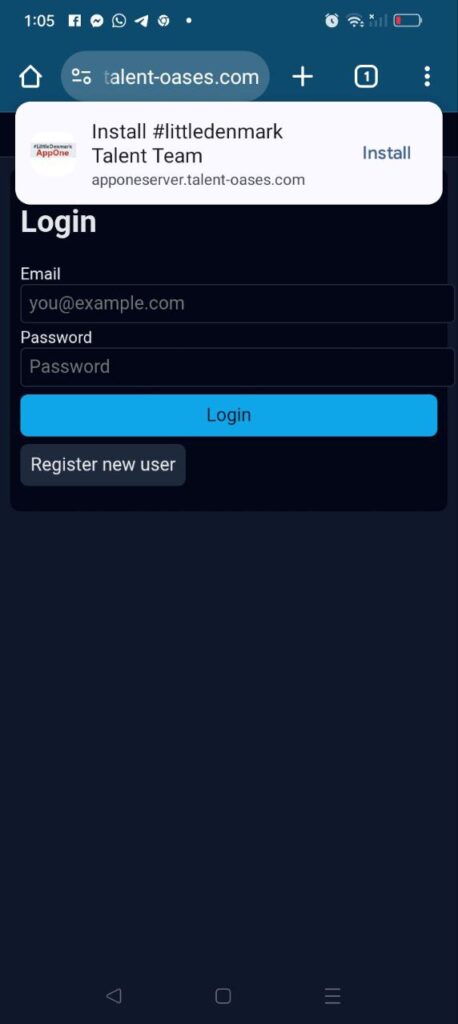
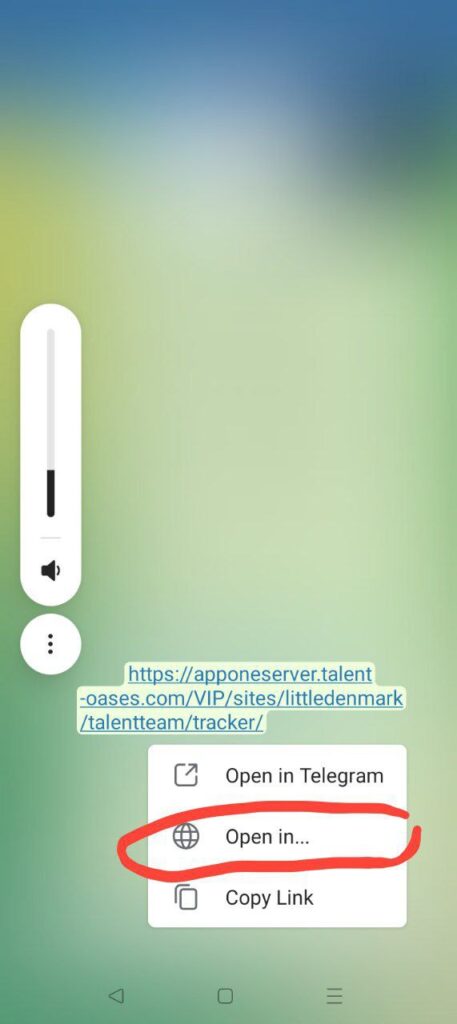
If you’re opening this from Telegram, tap and hold the link and choose “Open in Browser.”
2. If Installation Prompt Doesn’t Show Automatically:
Tap the three dots (menu) in the upper-right corner of Chrome.
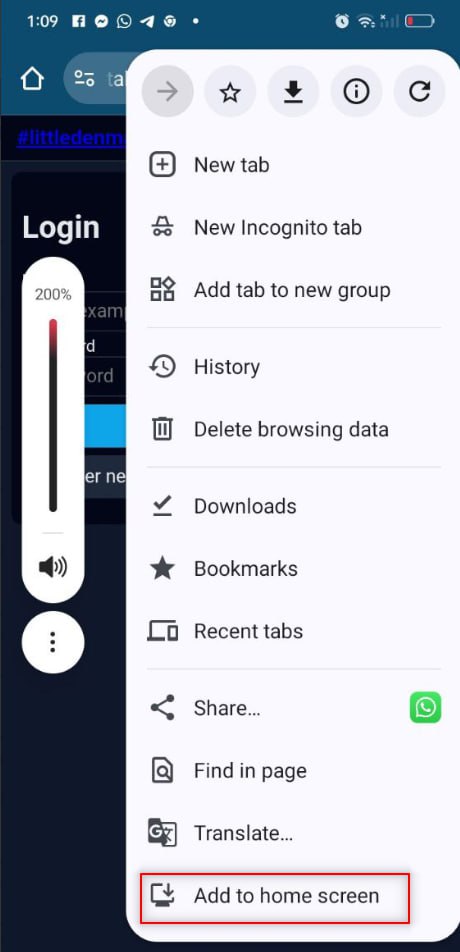
– Select “Add to Home screen.”
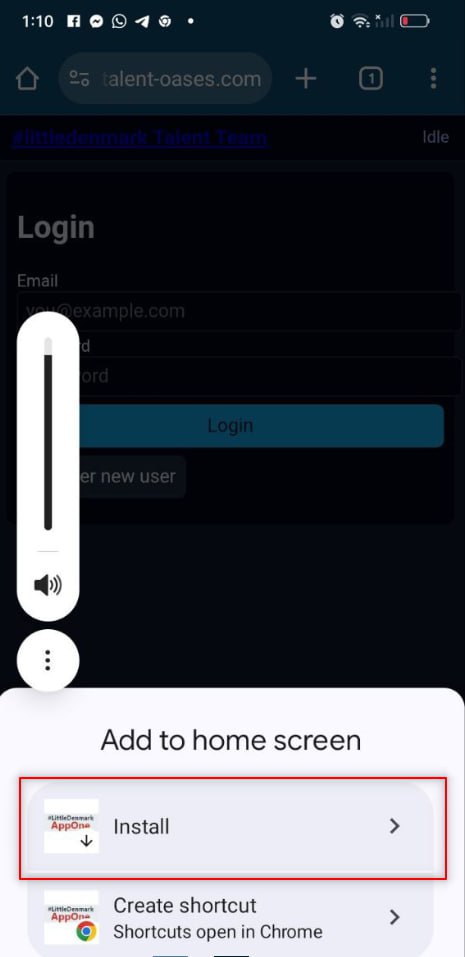
– Then tap “Install.”
3. Using the App: – It will appear on your home screen like any other app.
– Tap to launch it.
– Tap and hold to see App Info or manage permissions.